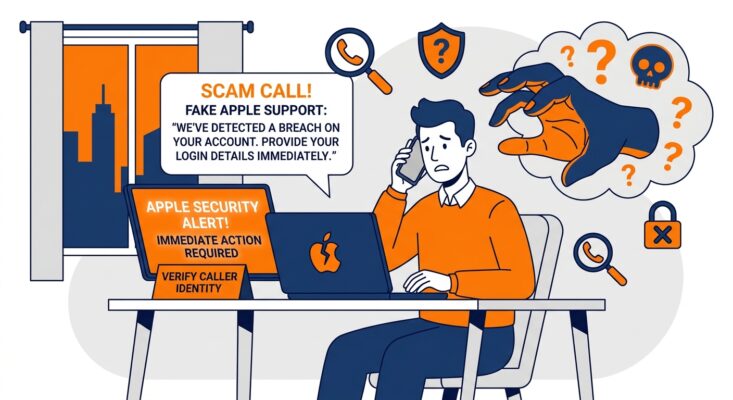
Scam Alert
That “Apple Security” Call Is Fake. The Code It Wants Is Real.
September 2026 · By Eyal Geiger, Technicalities
What happened
We recently received an automated call claiming to be from “Apple’s iCloud Security Department,” warning of a pending phone number change from Nizhny Novgorod, Russia, and asking us to press 1 if we hadn’t made the change ourselves.
Within moments, a genuine Apple two-factor verification code arrived by text. That’s the part that makes this scam dangerous: the call was fake, but the code was completely real, and reading it out to the caller would have handed over the account.
The call, word for word
“This is an automated call from Apple’s iCloud Security Department. We can see a pending phone number change from Nizhny Novgorod, Russia. If this change was not made by you, press one…”
How This Scam Actually Works
This isn’t a bulk robocall hoping someone panics. It’s a targeted, real-time attack, and understanding the sequence is what makes it obvious once you know it:
The attacker already has enough of your details (an email address, a phone number, sometimes a leaked password) to start a genuine account recovery or account-change process on Apple’s real systems. That action triggers Apple to do exactly what it’s designed to do: send a real one-time verification code to your real device, because Apple thinks it might be you.
Seconds later, the phone rings. An automated or live caller, spoofed to look official, tells you there’s suspicious activity, often naming a foreign country to spike your alarm, and asks you to press 1 or read back the code “to stop it.” If you comply, you’re not confirming your identity to Apple. You’re handing your attacker the one piece they were missing to finish taking over your account, live, while you’re still on the phone with them.
Security researchers call this general technique an OTP relay or “OTP bot” attack. It’s been used for years against bank accounts, and the same script is now showing up word-for-word against Apple, Microsoft, and Google accounts.
Why It’s So Convincing
Three things make this harder to spot than a typical phishing email. The caller ID can be spoofed to display a legitimate-looking number, so a “real” number proves nothing. The call arrives right around when a genuine code lands in your messages, which makes the two feel connected even though the code came from Apple and the call didn’t. And the scenario is built for urgency: an unfamiliar country, a ticking clock, a single button to press, all designed to get you reacting before you stop to think.
What Apple Actually Says
Apple’s own guidance is unambiguous, and worth keeping on hand: Apple will never ask you for your password, device passcode, or two-factor verification code, and will never ask you to read one aloud or enter it on a website. If you get an unsolicited or suspicious call from someone claiming to be Apple Support, the advice is simply to hang up and, if you want to check, contact Apple directly through support.apple.com or the Settings app on your own device, never a number or link the caller gives you.
If this happens to you
- Don’t press 1, and don’t engage. Hang up. There’s nothing a real security team needs you to confirm over an unsolicited call.
- Never read a verification code to anyone, on a call, in a text reply, or in a chat, no matter who they claim to be.
- Treat an unexpected code as the actual alert. If you weren’t the one trying to sign in or change something, someone else is. Go straight to appleid.apple.com or your device’s Settings and check your account security yourself.
- If you already shared a code, change your Apple ID password immediately and review your trusted devices and account details for anything unfamiliar.
The Bigger Picture
This is a close cousin of the SMS phishing trend we’ve flagged before, but it’s a step more sophisticated because it doesn’t need to fake a code at all: it borrows a real one from you. The same technique works against any account protected by SMS or call-based verification, not just Apple. The rule that holds regardless of which company is supposedly calling: a verification code is yours alone, and no legitimate business will ever ask you to say it out loud.
Not sure if a call or message about your accounts is genuine?
Technicalities can help you and your team set up account security the right way, and talk through what to do if something like this lands on a work device.
Get in Touch
EG
Eyal Geiger LinkedIn ↗
Eyal has been in Customer Relations at Technicalities since 2022, working directly with Melbourne businesses on the IT and cyber security issues they run into day to day. He writes from that vantage point, covering the questions clients actually ask and what tends to fix them.