Cyber Security Basics
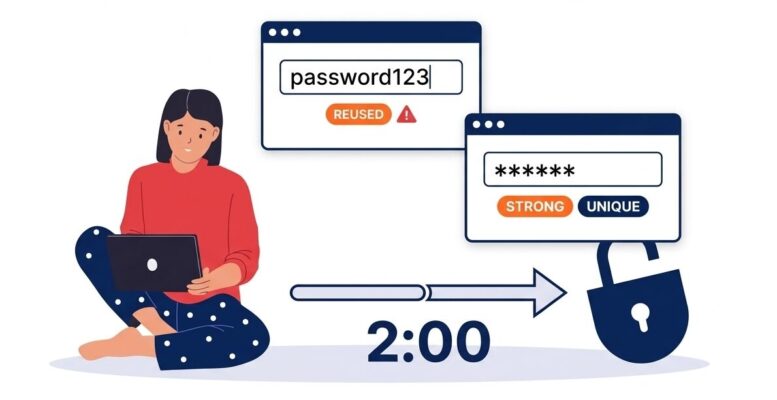
Still Reusing Passwords? Here’s the Two-Minute Fix.
September 2026 · Technicalities
The short version
Most breaches still come down to something simple: weak or reused passwords. A password manager solves this almost completely, and it takes far less effort than most people assume. It’s one of the cheapest, easiest security upgrades a business can make.
94%
of leaked passwords found in a recent global analysis had been reused across accounts
39%
of data breaches involve stolen or misused login credentials, per Verizon’s 2026 breach report
36%
of people actually use a password manager. Most still rely on memory, browser autofill, or notes
Why This Still Matters So Much
If a password is reused across even a couple of accounts, one breach anywhere can unlock several. Attackers know this, and they run stolen usernames and passwords against banking sites, email providers, and business logins automatically, hoping for a match. It costs them almost nothing to try, and it works often enough to remain one of the most common ways businesses get compromised.
The Australian Cyber Security Centre’s own guidance is blunt about this: a password by itself, no matter how carefully chosen, is no longer considered enough protection on its own. Multi-factor authentication is the recommended first line of defence, and we’ll cover that properly in its own article. A password manager is the piece that makes good passwords, and good MFA, actually practical to maintain.
What a Password Manager Actually Does
A password manager generates a long, random, unique password for every account you have, stores them in an encrypted vault, and fills them in automatically when you log in. You only need to remember one strong master password (or use a fingerprint or face unlock) to open the vault itself. It works across your phone, laptop, and browser, so it’s no slower than typing a password yourself, and considerably faster than trying to remember dozens of them.
“Isn’t It Risky Putting All My Passwords in One Place?”
It’s a fair question, and the honest answer is that a reputable password manager is far safer than the alternative. Your vault is encrypted in a way that even the company running the service cannot read its contents. The realistic comparison isn’t “one place versus no place,” it’s “one strong, encrypted vault versus the same three weak passwords copied across thirty different accounts,” which is how most people actually operate today.
What This Looks Like for a Business
Business-grade password managers add a layer that personal ones don’t: administrators can see which accounts exist, enforce a minimum password strength, and share access to a company login without ever revealing the actual password to the staff member using it. When someone leaves the business, their access can be switched off instantly, rather than hoping they’ve forgotten which shared logins they used to know.
Getting started
- Pick one reputable password manager and roll it out to the whole team rather than leaving it up to individuals.
- Start with the accounts that matter most: email, banking, and any shared business logins, before working through the rest.
- Turn on MFA for the vault itself. It’s the one password that protects everything else.
- Never reuse the master password anywhere else. It’s the only one that genuinely needs to live only in your head.
None of this requires ripping out existing systems or a big rollout project. For most businesses, it’s an afternoon of setup and a habit that sticks almost immediately, and it closes off one of the most common ways attackers get in.
Ready to roll out a password manager across your team?
Technicalities can help you choose the right option for your business and get your whole team set up properly.
Get in Touch