MFA and SSO for Business: The Complete Guide
Cyber Security Basics

MFA Isn’t Just a Code on Your Phone. Here’s the Full Picture.

September 2026  ·  Technicalities
The short version

Multi-factor authentication blocks the vast majority of account attacks, but the term covers a lot of ground. SSO, SAML, trusted devices, and Windows Hello all solve a different part of the same problem: proving it’s really you, without making everyone’s day harder. Here’s how the pieces fit together.

99.9%

of automated sign-in attacks are stopped just by having MFA turned on

14%

of users are on phishing-resistant MFA. Most are still using the weaker, easier-to-trick kind

45-pt gap

between the highest MFA adoption by industry (tech, at 87%) and the lowest (transport and warehousing, at 42%)

Not All MFA Is Created Equal

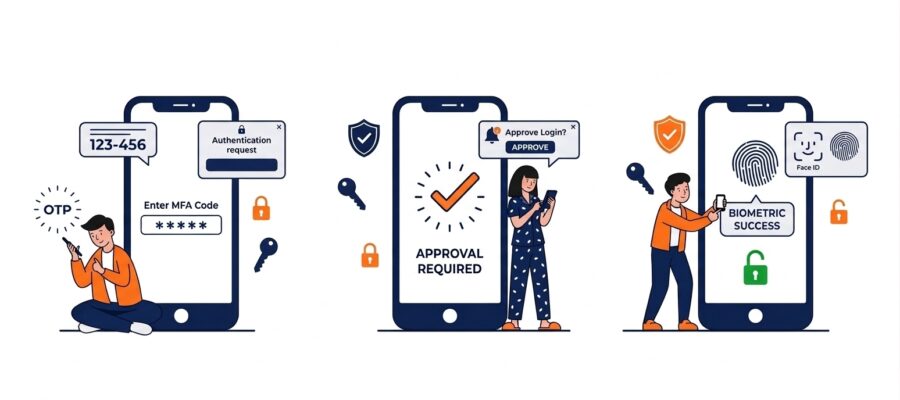
MFA just means proving who you are with more than a password. But that second factor can be strong or weak. Text message codes and email codes are both firmly on the outer these days. They’re the most familiar forms of MFA, and better than nothing. But they’re also the easiest for an attacker to intercept or redirect, or to simply trick someone into reading out over the phone. A text can be hijacked with a SIM swap. An email code is only as safe as the inbox it lands in, which is often the very account under attack.

App-based codes and push notifications are a step up. The strongest option is often called “phishing-resistant” MFA. It ties the login to your specific physical device or a hardware key. There’s nothing for an attacker to trick you into typing or approving, because the code never travels anywhere on its own.

There’s also a newer trick worth knowing about, called MFA fatigue or push-bombing. Instead of trying to steal a code, an attacker who already has your password just sends approval requests to your phone over and over. The hope is that you’ll tap “Approve” out of frustration or habit.

It’s not a theoretical risk. Uber was breached this way in 2022. An attacker bought a contractor’s stolen password, then flooded their phone with dozens of MFA prompts in half an hour. He followed up with a message pretending to be IT support, asking them to approve one request to “fix” the problem. The contractor did, and the attacker walked straight into Uber’s internal systems, including its Slack, code repositories, and admin tools. Most businesses now defend against this with number matching, which asks you to type a number shown on your screen into the app. It turns an easy, reflexive tap into a deliberate check.

Already happening, not just advice

This isn’t just best-practice talk. Microsoft is actively retiring SMS and voice codes in Microsoft 365 (Entra ID). Since 1 September 2026, passkeys have been the default for anyone newly setting up MFA. From 1 February 2027, Microsoft-provided SMS and voice codes stop working for sign-in altogether, with no opt-out. If your business still leans on text message codes, the deadline to move off them is already on the calendar.

What’s a Passkey, Actually?

A passkey isn’t a second factor bolted onto a password. It’s designed to replace the password entirely. When you set one up, your device creates a matching pair of digital keys. One stays locked inside your device and never leaves it. The other is given to the website or app you’re signing into.

To log in, your device simply proves it holds the private key, usually with your fingerprint, face, or PIN. That’s it. There’s no password to steal and no code to phish, because the actual secret never exists anywhere it could be intercepted. This is the technology behind Microsoft’s shift away from SMS and voice codes. It’s also what’s behind the “Sign in with Face ID” or “Sign in with Windows Hello” prompts you may already be seeing on more websites.

Windows Hello: Passkeys, Already Built Into Your Laptop

Windows Hello is the fingerprint, face recognition, or PIN login built into most modern Windows devices. It’s one of the most common ways businesses will actually use passkeys day to day. Because the check happens locally on the device itself, it counts as strong, phishing-resistant MFA. Nothing gets sent anywhere for an attacker to intercept, and there’s no code to read out over the phone to a scammer. If your business laptops support it, it’s usually one of the easiest wins available: more secure than a password alone, and genuinely faster to use.

Trusted Devices: Convenience With a Catch

Most MFA systems let you mark a device as “trusted” so you’re not asked to verify every single time you log in from your own laptop. It’s a reasonable trade-off. Repeated MFA prompts train people to approve things without thinking, which is exactly what push-bombing relies on.

The catch is that a trusted device is only as safe as the device itself. If a laptop is lost, stolen, or still logged in after someone leaves the business, that trust needs to be revoked straight away. It’s worth checking periodically that the list of trusted devices on your business accounts is one you actually recognise.

SSO (Single Sign-On)

Log in once, and get access to every connected business app from there, without re-entering a password each time. Most businesses on Microsoft 365 already have this available through Microsoft Entra ID.

SAML

The technical language that makes SSO possible. It lets your identity provider tell another app “yes, this is a verified employee,” without that app ever seeing a password. You’ll rarely configure it directly, but you’ll see the term when a vendor asks if you support SSO.

Why SSO Is Worth Setting Up Properly

Beyond convenience, SSO gives you one place to switch access on or off. When someone joins the business, one account gets them into everything they need. When someone leaves, disabling that one account locks every connected app at once. Nobody has to remember every separate login the person had. It also means MFA only needs to be enforced in one place to protect everything behind it, rather than being configured app by app.

Conditional Access: Making MFA Context-Aware

This is the feature that ties everything above together, and most businesses already have access to it without buying anything extra. Conditional Access, part of Microsoft Entra ID, looks at the circumstances of a sign-in: the device, the location, whether it looks risky. Then it decides what to do about it. A staff member signing in from their usual laptop in the office gets waved through smoothly. The same login attempt from an unrecognised device overseas can be blocked, or forced through extra verification, automatically.

Microsoft 365 Business Premium includes Conditional Access, so this isn’t an enterprise-only feature. The policies most small businesses set up first are straightforward: require MFA for everyone, block older “legacy” sign-in methods that skip MFA entirely, and flag or block logins from countries the business has no reason to operate in. None of it needs to be configured perfectly on day one. It’s worth rolling out gradually, with a way to regain access if a policy is set too strictly. Even the basic rules close off a lot of the easy paths in.

Where to start
  1. Turn on MFA everywhere it’s offered, starting with email, banking, and any system holding customer data.
  2. Prefer an authenticator app, passkey, or Windows Hello over SMS or email codes. Both are being phased out, not just discouraged.
  3. Turn on number matching if your MFA provider supports it, to blunt push-bombing attempts.
  4. Review trusted devices periodically, and revoke access the moment a device is lost or an employee leaves.
  5. Ask about SSO through Microsoft 365 for any business app you’re rolling out, so access stays centrally managed.
  6. Turn on basic Conditional Access rules if you’re on Business Premium, starting with blocking legacy sign-in methods and flagging logins from unexpected countries.

None of these pieces need to be adopted all at once. Turning on MFA properly is the single biggest step. Everything else here, passkeys, Windows Hello, trusted devices, SSO, and Conditional Access, is about making that protection easier to live with day to day, rather than something people quietly try to work around.

Not sure how well MFA is set up across your business?

Technicalities can review what’s in place today and help you roll out stronger, easier-to-use protection across your whole team.

Get in Touch
Other news & articles

Why Choose Technicalities as your MSP?

About Technicalities Why Choose Technicalities as Your IT Partner? Established 1998  ·  Melbourne, VIC 1998 Established in Melbourne 25+ Years serving Melbourne businesses 15+ Years — our longest-serving engineers Our Philosophy Choosing an IT partner is a bigger decision than it might first appear. You’re not just buying a service — you’re deciding who picks…

Buying a Business PC?

Share Hardware & Devices Buying a Business PC? Windows’ Built-In AI Just Changed the Spec Sheet. September 2026  ·  Technicalities The short version AI isn’t an optional extra on a new PC anymore. It’s built into Windows 11 itself, running in the background whether you use it or not. That changes what “good enough” specs…

Still Reusing Passwords? Here’s the Two-Minute Fix

Share Cyber Security Basics Still Reusing Passwords? Here’s the Two-Minute Fix. September 2026  ·  Technicalities The short version Most breaches still come down to something simple: weak or reused passwords. A password manager solves this almost completely, and it takes far less effort than most people assume. It’s one of the cheapest, easiest security upgrades…

Your Privacy Act Exemption Is Shrinking. Here’s What’s Actually Changing

Share Compliance & Privacy Your Privacy Act Exemption Is Shrinking. Here’s What’s Actually Changing. September 2026  ·  Technicalities The short version Australia’s Privacy Act is being rewritten in stages. Some changes are already law, more land by December 2026, and the small business exemption many owners rely on is being worn away from the side,…

Why Choose Technicalities as your MSP?

About Technicalities Why Choose Technicalities as Your IT Partner? Established 1998  ·  Melbourne, VIC 1998 Established in Melbourne 25+ Years serving Melbourne businesses 15+ Years — our longest-serving engineers Our Philosophy Choosing an IT partner is a bigger decision than it might first appear. You’re not just buying a service — you’re deciding who picks…

Buying a Business PC?

Share Hardware & Devices Buying a Business PC? Windows’ Built-In AI Just Changed the Spec Sheet. September 2026  ·  Technicalities The short version AI isn’t an optional extra on a new PC anymore. It’s built into Windows 11 itself, running in the background whether you use it or not. That changes what “good enough” specs…

Still Reusing Passwords? Here’s the Two-Minute Fix

Share Cyber Security Basics Still Reusing Passwords? Here’s the Two-Minute Fix. September 2026  ·  Technicalities The short version Most breaches still come down to something simple: weak or reused passwords. A password manager solves this almost completely, and it takes far less effort than most people assume. It’s one of the cheapest, easiest security upgrades…

Your Privacy Act Exemption Is Shrinking. Here’s What’s Actually Changing

Share Compliance & Privacy Your Privacy Act Exemption Is Shrinking. Here’s What’s Actually Changing. September 2026  ·  Technicalities The short version Australia’s Privacy Act is being rewritten in stages. Some changes are already law, more land by December 2026, and the small business exemption many owners rely on is being worn away from the side,…

That Apple Security Call Is Fake

Share Scam Alert That “Apple Security” Call Is Fake. The Code It Wants Is Real. September 2026  ·  Technicalities What happened We recently received an automated call claiming to be from “Apple’s iCloud Security Department,” warning of a pending phone number change from Nizhny Novgorod, Russia, and asking us to press 1 if we hadn’t…

Extortion Email Scam Alert

Share Cyber Security Alert The “We Hacked Your Webcam” Email Scam Is Back, and It’s Evading Filters August 2026  ·  Technicalities The Short Version A wave of extortion emails claiming to have hacked your webcam and recorded compromising footage is landing in inboxes right now, including past Proofpoint’s filters. Nobody has hacked anything. It’s a…

AI Usage Guidelines for Your Business

AI in the Workplace AI Usage Guidelines for Your Business Artificial intelligence tools are becoming part of everyday working life. Your team is almost certainly already using them — to draft emails, summarise documents, research topics, and speed up repetitive tasks. This is not a problem. AI genuinely helps people do better work, faster. The…

Instagram Has Dropped Encryption on DMs

Share Privacy & Security Instagram Has Dropped Encryption on Your DMs. Here’s What That Actually Means. June 2026  ·  Technicalities What happened As of 8 May 2026, Meta removed end-to-end encryption from Instagram direct messages. Every conversation you have on Instagram — personal or professional — can now be accessed by Meta. If you or…

Agentic AI The Quiet Revolution

Share Artificial Intelligence Agentic AI: The Quiet Revolution Already Reshaping Business June 2026  ·  Technicalities The Short Version Most people have heard of ChatGPT, Copilot, and Claude. Far fewer have heard of agentic AI — but it’s already running inside enterprise software used by millions of businesses worldwide. It doesn’t just answer questions. It takes…

AI is Already in Your Business

Share Artificial Intelligence AI Is Already in Your Business.Time to Get Ahead of It. May 2026  ·  Technicalities The Short Version AI tools are no longer optional extras — they’re becoming part of how businesses operate. For most businesses running Microsoft 365, the question isn’t whether AI will affect your workplace, but how quickly, and…

AI Phishing attacks Microsoft

Cyber Security AI Is Now Driving 86% of Phishing Attacks — and Microsoft Is the Primary Target May 2026  ·  Technicalities 86% of phishing attacksnow AI-driven +139% increase in reverse proxyattacks stealing M365 credentials 41% of AI phishing attacksnow target Microsoft Teams Key Takeaway Phishing has moved well beyond suspicious emails with bad grammar. AI-powered…

Stryker Cyberattack: Lessons for Business Security

🚨 Cyber Alert The Stryker Attack:No One Is Too Big to Fall Published: March 2026  ·  By: Technicalities ⚡ Key Takeaway A US Fortune 300 company with 56,000 employees and a USD$25 billion revenue just had tens of thousands of devices remotely wiped in a matter of hours. The attack vector wasn’t exotic — and…

Smarter Cloud Storage Without the Hidden Costs

Cloud Storage Smarter Cloud Storage Without the Hidden Costs Published: March 2026  ·  By: Technicalities ☁ What’s New Technicalities has integrated Wasabi cloud storage as an add-on to our hosted server environments. It gives businesses a high-performance, fully managed offsite storage solution — without the unpredictable costs that come with hyperscale providers like AWS or…

Microsoft 365 Business Plans: New Pricing and What is Coming

Microsoft 365 Update Microsoft 365 Business Plans: New Pricingand What’s Coming Published: March 2026  ·  By: Technicalities ⚡ Key Takeaway Microsoft 365 Business plan pricing is increasing from 1 July 2026. If your subscription renews after that date, you’ll pay more. Acting before the deadline could lock in current rates, and there are new features…

Penetration Testing: Is Your Business Actually Secure, or Just Assuming It Is?

Cyber Security Penetration Testing: Is Your Business Actually Secure,or Just Assuming It Is? Published: March 2026  ·  By: Technicalities ⚠ The Reality Most businesses that discover they’ve been breached thought they were secure. Firewalls, antivirus, and cloud platforms are a good foundation — but they don’t tell you what an attacker could actually do if…

Quishing is Evolving: Fancy QR Codes are a Growing Threat

Cyber Security The QR Code That Looks LegitimateIs the One to Watch Published: March 2026  ·  By: Technicalities ⚠ Key Threat QR code phishing — known as quishing — has been a growing threat for several years. Now it’s getting harder to spot. Attackers are using stylised, branded QR codes that look completely legitimate to…

Meta’s Hidden Study

Meta’s Hidden Study What the Courts Are Saying About Social Media & Mental Health Recent court filings have uncovered a troubling narrative: Meta (the company behind Facebook and Instagram) may have downplayed or even buried its own research showing negative mental health effects, especially among teens. What the Court Case Reveals A deeper dive into…

The Rise of SMS Phishing: Why Your Phone Is the New Frontline in Cybersecurity

The Rise of SMS Phishing Why your phone is the new frontline in Cyber-security Cybercriminals follow one simple rule: attack where people are paying the least attention. Right now, that target is your mobile phone. SMS phishing has surged across Australia and globally, becoming one of the fastest-growing cyber threats affecting individuals and businesses alike.…

The Hidden Risk of Outdated Website Plugins: Why WordPress Sites Are Vulnerable

The Problem With Old WordPress Plugins Your website isn’t just a page on the internet, it’s part of your business. And just like anything valuable, it’s a target. One of the biggest risks to WordPress sites right now comes from something many people overlook: old plugins. A Real Example of What’s Happening Right Now Recently,…

What You Need to Know About Meta Using Your Images for AI on Facebook and Instagram

Meta is Using Your Images for AI Social media platforms have become central to our daily lives, but new updates from Meta highlight an important consideration for users: your photos could be used to train AI systems. Meta’s AI and Your Images Meta has confirmed that images uploaded to Facebook and Instagram may be accessed…

Technicalities Hosted servers v AWS

Why Technicalities Hosted Servers Outperform AWS for Australian Businesses For many organisations, Amazon Web Services (AWS) has become the default name in cloud hosting. But “industry standard” doesn’t always mean “best fit.”At Technicalities, we specialise in high-performance, fully managed hosted server environments built for reliability, security, and predictable pricing, without the hidden surprises of hyperscale…

Cyber-security Starts with You

Cyber-security Starts with You; Why Smart Habits Matter as Much as Cyber Tools When it comes to cyber-security, businesses often invest in the latest tools, from firewalls and EDR to advanced monitoring systems. These tools are vital, but here’s the truth: no matter how many security layers are in place, they can’t replace common sense…

Future Proofing Your Business IT in 2026

Future Proofing Your Business IT in 2026 As we approach 2026, the pace of technological change continues to accelerate. Businesses that fail to adapt risk falling behind competitors, while those that strategically plan their IT infrastructure can improve efficiency, security, and long-term growth. Future-proofing your IT isn’t about buying the latest gadgets or software, it’s…

Cybersecurity: Protecting Against Holiday Season Scams

Protecting Against Holiday Season Scams The holiday season is a busy and exciting time for businesses, but it’s also a prime target for cybercriminals. Increased online shopping, end of year invoices, and holiday promotions create the perfect storm for phishing emails, fake delivery notifications, and social engineering attacks. For small and medium-sized businesses, a single…

Unlocking Productivity: 5 Ways to Get More from Microsoft 365

Most businesses only scratch the surface of Microsoft 365, using it for email and documents while overlooking powerful tools that boost productivity. From Teams and Power Automate to Power BI, OneDrive, and Copilot, discover five ways to get more from your subscription and transform the way your business works.

Australia’s Social Media Ban for Under 16s

Australia stands on the verge of a sweeping transformation in the way its youngest citizens interact with social media. As lawmakers debate a groundbreaking proposal to ban under-16s from major platforms, the nation wrestles with questions of safety, freedom, and technological change. With industry players, educators, and families all having a stake in the outcome, the months ahead promise robust public discussion and policy innovation. The ultimate challenge will be to protect children from online harms while empowering them to navigate an increasingly digital world with confidence and resilience.

How is Your Wi-Fi?

Technicalities, Your Partner in Wireless Excellence In a world where reliable connectivity drives every facet of business, Technicalities stands as a vigilant guardian against wireless interference and network downtime. Armed with cutting-edge spectrum analysers and proactive detection tools, our team ensures that disruptive signals—from office gadgets to neighbouring networks—never compromise your productivity. By continually embracing the latest advances in wireless technology and tailoring scalable solutions to each client, Technicalities transforms complex environments into seamless hubs of efficiency. When uninterrupted connectivity is essential, trust our expertise to keep your business moving forward.

Why Choose a Technicalities Hosted Server

Dedicated to excellence, Technicalities Hosted Servers offer Melbourne-based 24/7 expert support, ensuring smooth and reliable hosting tailored to local business needs. Powered by the globally acclaimed Equinix Data Centre in Melbourne, our infrastructure guarantees world-class security, scalability, and reduced latency. With transparent pricing that outperforms AWS, we deliver unmatched value without hidden costs. Partner with Technicalities for innovative storage solutions, cutting-edge technologies, and a competitive edge in server hosting. Elevate your IT infrastructure today.

Unlocking Efficiency with Office Door Access Systems

Unlocking Efficiency with Office Door Access Systems How Modern Access Control Enhances Security and Productivity Office door access systems have emerged as a vital solution for managing entry to office spaces, offering convenience, security and logging. Technicalities have worked with numerous companies and systems and provide the coding background to either application based, or fob…

Maximising Efficiency with SharePoint and OneDrive

The importance of securely backing up data cannot be overstated. This article delves into the features of Microsoft OneDrive and SharePoint, highlighting the critical role cloud backup plays in protecting your valuable information. By leveraging these powerful tools, businesses can ensure seamless collaboration and safeguard their data against unforeseen events.

Cyber Training Partnership – Phished

Cyber Training Partnership – Phished Enhancing Security Awareness Through Strategic Collaboration. We are thrilled to announce our strategic partnership with Phished, a leading provider of cyber security training solutions, to offer our customers advanced cyber training modules. This collaboration aims to fortify our customers’ defences against cyber threats by leveraging Phished’s cutting-edge training platform and…

Latest Cyber Threat Trends

Latest Cyber Threat Trends As we navigate the digital landscape of 2025, the world of cyber security continues to evolve at a rapid pace. With cyber threats becoming increasingly sophisticated, it is imperative for individuals and organisations to stay informed about the latest trends in order to protect their digital assets. Here, we outline some…

The Vital Role of Geo-blocking

The Vital Role of Geo-blocking In the digital age where connectivity knows no bounds, the concept of geo-blocking has emerged as a pivotal tool in the realm of IT security. Geo-blocking refers to the practice of restricting access to internet content based on the user’s geographical location. While often associated with content distribution and regional…

What to Expect from Windows 12

What to Expect from Windows 12 Exploring the Future of Microsoft’s Operating System As the end of life for Windows 10 approaches, anticipation is building for the next iteration of Microsoft’s operating system: Windows 12. While Microsoft has yet to officially announce all the details, several features and enhancements are expected to revolutionise the user…

How Secure is your Data?

In an increasingly digital world, safeguarding your data has never been more critical. From understanding common threats like phishing and weak passwords to adopting practical solutions like encryption and multi-factor authentication, this guide equips you with the tools to protect what matters most. Don’t wait until it’s too late. Secure your data today!

Boosting Productivity in Teams Meetings with Microsoft Copilot

Microsoft Copilot is transforming how businesses conduct Teams meetings by automating tasks, summarising discussions, and tracking action items. This AI-powered assistant helps teams stay organised, improve collaboration, and save time, making it an essential tool for modern hybrid work environments.

The Cost of Cybersecurity Negligence: Lessons from 2024 Breaches

In 2024, Australian businesses faced a surge in cyberattacks, exposing the costly consequences of cybersecurity negligence. From financial losses to regulatory fines and reputational damage, the impact was felt across industries. This article explores key lessons from the year’s major breaches and offers strategies to help organizations strengthen their cybersecurity defenses.

Quishing Scams are on the Rise

Quishing Scams are on the Rise! One of the latest threats in the world of cybercrime is quishing—a form of phishing that uses QR codes to lure individuals into scams. As the use of QR codes has surged in recent years for everything from digital payments to contactless check-ins, so too has the opportunity for…

Windows 10 End of Life

Windows 10 End of Life Microsoft’s Windows 10 operating system has been a staple for businesses and individuals alike since its launch in 2015. However, like all software, Windows 10 is approaching the end of its lifecycle, and Microsoft has officially set the end-of-life (EOL) date for October 14, 2025. This means that after this…

Cyber Security Awareness Month 2024

October is Cybersecurity Awareness Month, a time to highlight the importance of online safety and data protection. Learn how to safeguard your digital presence with practical tips and best practices to defend against cyber threats.

Safeguard your data with 3-2-1 Backup

Safeguard your data with 3-2-1 Backup Data is the lifeline for businesses. Losing access to important files, customer information, or critical systems can be devastating, both financially and operationally. That’s why a robust backup strategy is essential for protecting your business from data loss, corruption, or cyberattacks. One of the most reliable methods used by…

Taking Cyber Security to a new Level with MDR

Taking Cyber Security to a new Level with MDR All of Technicalities’ managed customers have now been moved away from AntiVirus and on to EDR (Endpoint Detection and Response). EDR’s Machine Learning capability is essential for a more accurate detection of viruses, malware and ransomware, as well as action should something happen. We have now…

Spotify Phishing Scam Warning

Spotify Phishing Scam Warning Beware of Cyber Threats from Fake Spotify Emails: What to Look Out For and How to Protect Yourself With over 600 million users worldwide, Spotify is one of the most popular music streaming platforms. Unfortunately, its vast user base makes it a prime target for cybercriminals. One common tactic used by…

CrowdStrike: The crash and Repercussions

CrowdStrike: The crash and Repercussions In mid July, nearly everything ground to a halt. Microsoft computers started crashing which caused an outage that globally stopped 5,000 flights from taking off, supermarket checkouts to stop working, and Marvel Stadium to only allow patrons in based on viewing membership cards; like back in the 1990s. Who are…

The AI Future: What is Microsoft Copilot?

The AI Future: What is Microsoft Copilot? Microsoft Copilot is an AI-powered assistant integrated into Microsoft Office applications, designed to enhance productivity and streamline workflows. Leveraging advanced machine learning and natural language processing capabilities, Copilot can help draft documents, create presentations, analyse data, and automate repetitive tasks. Key features of Microsoft Copilot include: By harnessing…

How Copilot Handles Your Data in Microsoft 365

How Copilot Handles Your Data in Microsoft 365 In an era where digital collaboration and productivity tools have become essential, understanding how your data is managed and protected is crucial. Microsoft 365’s Copilot feature is designed to enhance productivity by integrating AI-driven assistance across various applications. This blog delves into how Copilot handles your data…

Embracing the Future with Pure Storage

Embracing the Future with Pure Storage In the ever-evolving landscape of data management, staying ahead of the curve is essential. As part of Technicalities’ commitment to providing top-tier services and maintaining operational excellence, we have recently upgraded our data centre infrastructure with Pure Storage. This strategic investment underscores our dedication to leveraging cutting-edge technology to…

Cyber Awareness Training: Our Partnership with Phished

Cyber Awareness Training: Our Partnership with Phished In today’s digital age, cybersecurity threats are an ever-present concern for individuals and organizations alike. Among these threats, phishing remains one of the most prevalent and damaging. As cybercriminals continually refine their techniques, it is imperative that we stay ahead of the curve to protect our sensitive information…

Protect Yourself Online – A recommendation for safer browsing

Protect Yourself Online – A recommendation for safer browsing In today’s digital age, we are more connected than ever. The internet is an invaluable tool for staying in touch with loved ones, learning, socialising, playing games or life management such as banking. However it also exposes us to online threats such as identity theft, scams…

Cyber Security Review: Microsoft 365

Cyber Security Review: Microsoft 365 Cyber Security is a rapidly evolving space. What works today could be exploited tomorrow. On a daily basis we at Technicalities are researching the latest scams, viruses and vulnerabilities within both software and hardware. Many of our customers live in the Microsoft 365 world due to its ease of communication…

Microsoft 365 Backups

Microsoft 365 Backups By default, Microsoft does not offer backup. If an email or file is deleted, it will likely sit in the ‘Deleted Items’ folder or Recycle Bin for a limited amount of time, often 30 days. Technicalities offers a backup solution that covers all Microsoft 365 emails, and files from OneDrive and SharePoint.…

The Need for a Good Firewall

The Need for a Good Firewall As businesses increasingly rely on digital infrastructure to operate and grow, safeguarding this infrastructure from malicious attacks becomes paramount. At Technicalities Group Consulting, we understand the critical role that a well-configured firewall plays in protecting your organization’s digital assets. Understanding the Basics: What is a Firewall? A firewall is…

SIEM as a Service

SIEM as a Service Technicalities now offers (Security Information & Event Management) as a hosted service. Networks that sit behind a firewall appear to be safe, however the firewall (in its basic form) is meant to block incoming and outgoing connections. However, there must be some openings in order to allow in certain traffic such…

Callback Phishing Avoids Filters

Callback Phishing Avoids Filters A new form of phishing is appearing and it has the ability to avoid email filtering programs. Phishing is the fraudulent practice of sending emails or other messages purporting to be from reputable companies in order to entice individuals to reveal personal information, such as passwords and credit card numbers. Unlike…

Application Whitelisting

Application Whitelisting In today’s digital age, Application Whitelisting has become an increasingly popular security measure. So much so that it is the Number 1 recommendation on the Australian Government’s ‘Essential Eight’ list of recommendations.. The concept behind application whitelisting is simple: Rather than trying to block every potential threat, you simply allow only authorised applications…

The Importance of Endpoint Detection and Response (EDR)

The Importance of Endpoint Detection and Response (EDR) Endpoint detection and response (EDR) is a crucial element in the modern cybersecurity landscape. As organisations are moving more of their business online and relying on digital data storage and communication, the risk of cyberattacks has increased significantly. Endpoint Detection and Response provides the necessary tools to…

The Essential Eight

The Essential Eight While it may sound a little boring, and it may never be required, the ‘Essential Eight’ is something that needs to be on every business’ radar. In today’s fast-paced and interconnected world, cyber threats are becoming increasingly sophisticated and frequent. Organizations are at constant risk of losing critical data or being disrupted…

Cybercriminals double down on Ransomware boom

Cybercriminals double down on Ransomware boom Ransomware is one of the biggest forms of cybercrime that businesses of any size face today, so how can we protect against it? Cyberattacks, in particular Ransomware, are on the increase in Australia. The average remediation cost of a ransomware attack in Australia is $1.12 million The Essential 8,…