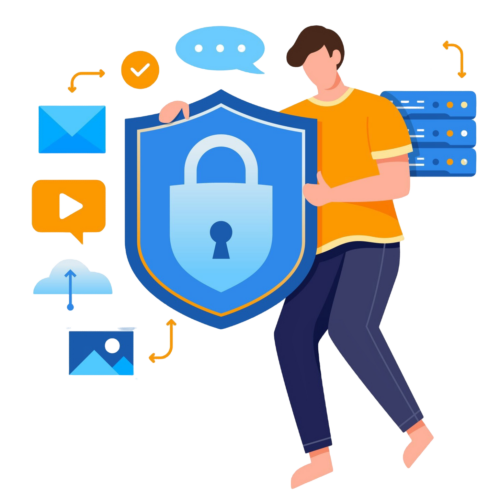
How Secure is your Data? Protecting What Matters Most.
In our digital world, data is one of your most valuable assets; whether it’s personal photos, financial records, or sensitive business information. But as data becomes more critical, cyber threats become more sophisticated. So, how secure is your data, and what can you do to protect it?
The Current Landscape of Data Security
From phishing attacks to ransomware, data breaches have become alarmingly common. In 2024 alone, millions of records were compromised, costing organisations billions of dollars in damages. Unfortunately, no-one is immune, individuals, small businesses, and multinational corporations are all targets.
What Puts Your Data at Risk?
- Weak Passwords
Despite widespread awareness, weak passwords remain a leading cause of breaches. Many people still use easily guessable passwords like “password123” or reuse the same credentials across multiple accounts.
- Poor Endoint Protection
Poor Endpoint protection puts data at risk due to the risk of malware and ransomware getting unintentionally installed.
- Unsecured Networks
Public Wi-Fi, while convenient, can be a hotbed for hackers intercepting unencrypted data.
- Outdated Systems
Old software and hardware often lack the latest security updates, making them vulnerable to exploitation.
- Supply Chain Vulnerabilities
Third-party vendors with lax security practices can become entry points for attackers targeting larger organisations.
- Phishing and Social Engineering
Cybercriminals trick people into revealing sensitive information through convincing emails, messages, or fake websites.
How to Gauge Your Data’s Security
- Are You Using Strong Authentication?
Multi-factor authentication (MFA) adds an extra layer of security by requiring more than just a password, like a code sent to your phone or a fingerprint scan.
- Do You Encrypt Your Data?
Encryption converts your data into unreadable code without the correct decryption key. Tools like BitLocker (for Windows) and FileVault (for macOS) help protect stored data.
- Is Your Software Up-to-Date?
Regular updates patch vulnerabilities that hackers might exploit.
- Do You Back Up Regularly?
A secure backup ensures you don’t lose access to your data in the event of a ransomware attack or hardware failure.
Practical Tips for Securing Your Data
- Use Password Managers
Tools like LastPass or Pass Portal generate and store complex passwords securely.
- Use Endpoint Protection
Prioritise a good Endpoint protection software that incorporates ransomware detection.
- Beware of Phishing
Always verify links and senders before clicking on emails or messages. When in doubt, contact the company or person directly.
- Secure Your Network
Use a virtual private network (VPN) on public Wi-Fi and ensure your home network is protected with a strong password and encryption.
- Educate Yourself and Your Team
Regular training on recognising cyber threats can significantly reduce the risk of human error.
- Adopt Zero-Trust Principles
This approach assumes no one can be trusted by default, requiring continuous verification for access.
Emerging Threats to Watch
As technology evolves, new threats emerge. Quantum computing, for instance, could potentially break traditional encryption, putting sensitive data at risk. Organisations are already transitioning to ‘post-quantum cryptography‘ to future-proof their data.
The Bottom Line
Your data’s security is only as strong as your weakest link. By taking proactive steps, like using strong passwords, encrypting sensitive information, and staying vigilant, you can significantly reduce the risk of data breaches. Whether you’re safeguarding personal files or protecting a business, investing in data security today is essential to avoid costly consequences tomorrow.
Remember: The question isn’t if someone will try to access your data; it’s when. Make sure you’re prepared.
Please note; this is not a complete list of cyber security controls, but rather provides some practical steps that can be done to help mitigate cyber incidents. For a more tailored and detailed approach to your business’ cyber security, reach out to our team.